


Download Witty – Fast, Secure Desktop Twitter Client for Windows & macOS
Overview
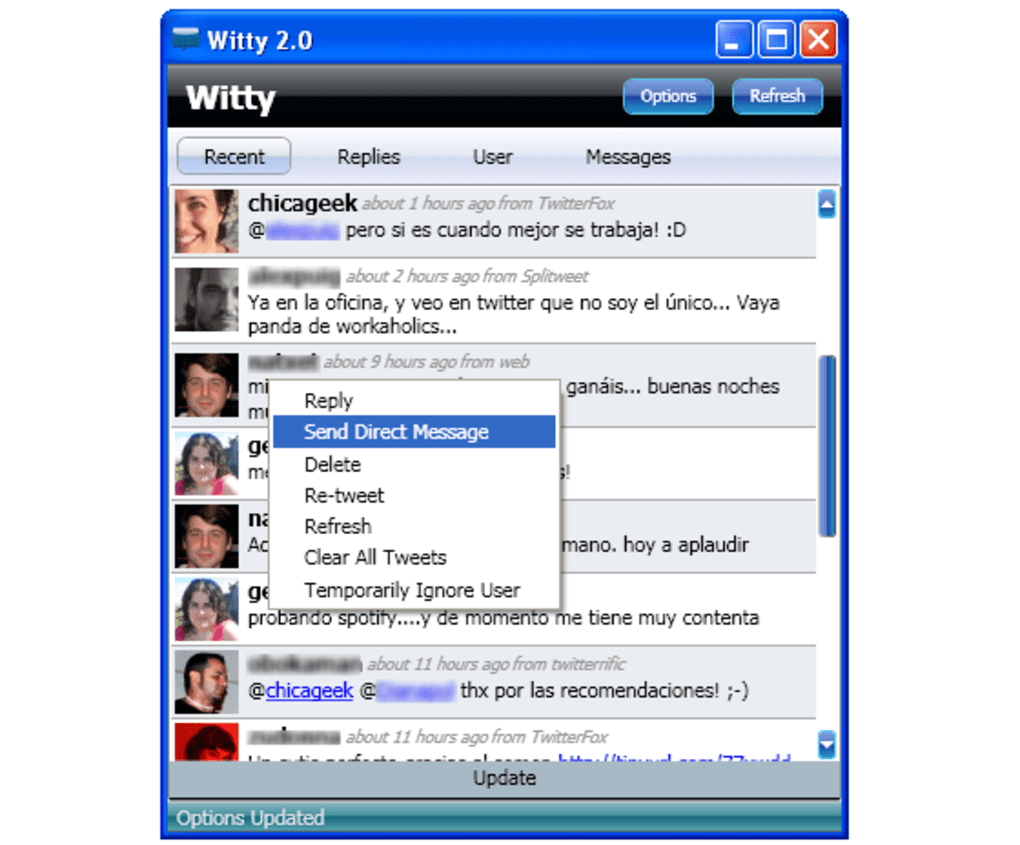
Witty is a lightweight desktop Twitter client that brings the fast‑paced world of tweets right to your computer. Designed with a clean, skin‑customizable interface, Witty lets you follow all the updates from the people you care about while giving you quick access to replies, direct messages, and your own timeline. The app arranges tweets in a colour‑coded list, making it easier to scan through conversations at a glance.
You can minimise Witty to the system tray, receive optional desktop notifications, and set the refresh interval anywhere from one to thirty minutes. Although the client does not let you re‑assign keyboard shortcuts or extend the tray‑icon menu, its streamlined design and responsive performance make it a compelling alternative to the official Twitter web experience. Whether you are a casual scroll‑through user or a power tweeter who needs instant access without opening a browser, Witty provides a balance of visual appeal and functional efficiency that keeps you engaged and productive.
Key Features
- Customisable skins for a personalised look and feel.
- Colour‑coded tweet list that improves readability.
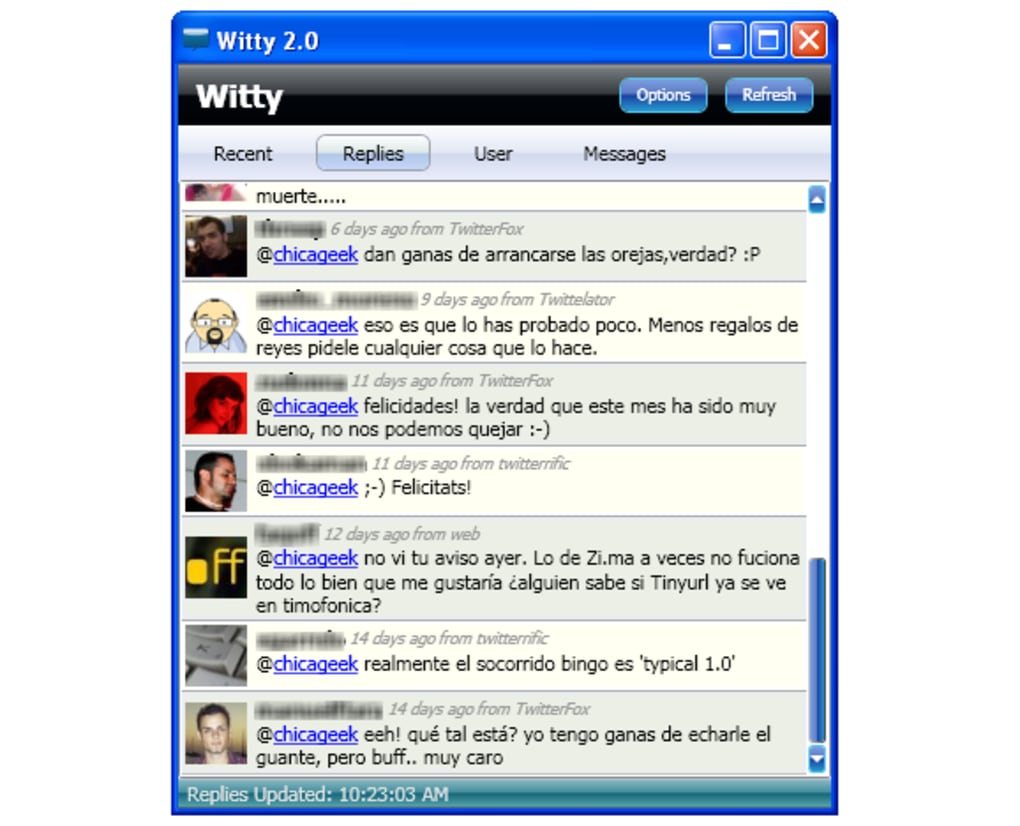
- Separate tabs for Home timeline, Replies, Direct Messages, and your own Tweets.
- System Tray integration with quick hide/show functionality.
- Desktop notifications for new tweets, mentions, and DMs.
- Adjustable refresh interval (1‑30 minutes) to control data usage.
- Keyboard shortcuts for common actions (posting, replying, navigating tabs).
- Lightweight footprint – runs smoothly on older hardware.
- Free to download with optional in‑app updates.
Installation, Usage & Compatibility
How to Install Witty
Downloading and installing Witty is straightforward. Visit the official website, click the “Download for Windows” or “Download for macOS” button, and run the installer. The setup wizard guides you through the typical steps: accepting the license agreement, choosing an installation folder, and creating a desktop shortcut. The installer also checks for the required .NET framework on Windows and prompts you to install it if missing. On macOS, the app is distributed as a signed .dmg file; simply drag the Witty icon into your Applications folder.
First‑Run Configuration
When you launch Witty for the first time, you will be asked to sign in with your Twitter credentials using OAuth. The authentication process occurs in a secure browser window, ensuring your password never touches the local system. After authorisation, Witty stores an access token locally, which is encrypted and never shared with third parties. You can then choose your preferred skin, set the refresh interval, and enable or disable desktop notifications from the Settings panel.
Everyday Usage
Once configured, the main window displays four tabs: Home, Replies, Direct Messages, and My Tweets. The Home tab shows the combined timeline of accounts you follow, colour‑coded by author. Clicking any tweet expands it, allowing you to like, retweet, or reply directly from the desktop. To send a new tweet, type your message in the text box labelled “Update” at the bottom of the window and press Enter or click the Send button. Keyboard shortcuts such as Ctrl+R for refresh, Ctrl+N for a new tweet, and Ctrl+F for search help you stay fast without leaving the keyboard.
System Compatibility
Witty runs on Windows 7, 8, 10, and 11 (64‑bit) as well as macOS 10.13 (High Sierra) and newer. The application is built on the Electron framework, which ensures a consistent experience across platforms while keeping resource consumption low. Although there is currently no native Linux build, the Windows version can be executed through Wine with acceptable performance.
Pros and Cons
Advantages
- Visually appealing, skin‑customisable interface that feels modern.
- Fast loading times and low memory usage compared with browser‑based Twitter.
- Colour‑coded tweet list improves scanning speed.
- System Tray support lets you keep Witty out of the way while staying notified.
- Free to use with regular updates that address bugs and security patches.
Limitations
- Keyboard shortcuts are fixed; no option to remap them.
- System Tray menu offers only “Show” and “Exit” – no quick‑action items.
- Sending a direct message requires navigating to the “Update” button, which can be unintuitive for new users.
- No built‑in scheduling or tweet‑queue features found in premium Twitter clients.
- Limited support for advanced analytics or media management.
Overall Rating: 4 out of 5 stars – Witty delivers a sleek, efficient desktop Twitter experience, with a few missing convenience features that keep it from being perfect.
Frequently Asked Questions
Is Witty completely free or does it offer a paid version?
Witty is 100 % free to download and use. The developer funds the project through optional donations, but there are no hidden fees or premium tiers.
Can I customize the notification sounds?
Yes. In the Settings → Notifications panel you can select from a few built‑in sounds or point the app to a custom .wav file stored on your computer.
Does Witty support multiple Twitter accounts?
Currently Witty only supports a single signed‑in account. You must sign out and sign in again to switch accounts.
How secure is my login information?
Witty uses Twitter’s OAuth 2.0 flow, meaning your password is never stored locally. Access tokens are encrypted on disk, and all communications occur over HTTPS.
Can I export my tweet history from Witty?
Export functionality is not built into Witty at this time. However, you can use Twitter’s native data‑download tools to retrieve your full tweet archive.
Conclusion & Call to Action
Witty fills a niche for users who want a fast, visually pleasing desktop Twitter client without the clutter of a full‑featured social‑media suite. Its colour‑coded lists, skin support, and system‑tray integration make daily Twitter browsing feel lighter and more focused. While the lack of customizable shortcuts and a richer tray menu may frustrate power users, the overall experience is solid enough to recommend for anyone seeking a free, secure, and update‑friendly Twitter app. Ready to give your timeline a desktop makeover? Download Witty now and start tweeting faster today.







